Feature 01
Conference Agenda
Explore conference sessions, schedules, and important program information in one convenient place.
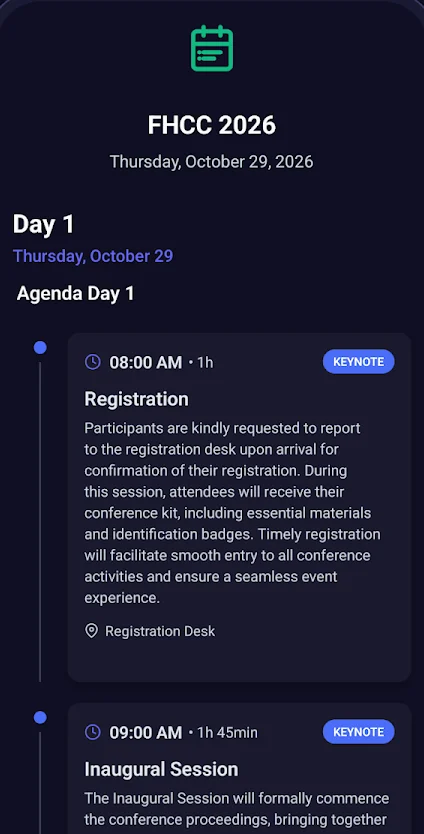
Follow the program day by day. Each session shows its time, duration and location, so planning your day takes seconds.
Features
From the first session to the final announcement, MultiVerso keeps the information you need organized, clear and close at hand.
Feature 01
Explore conference sessions, schedules, and important program information in one convenient place.
Follow the program day by day. Each session shows its time, duration and location, so planning your day takes seconds.
Feature 02
Discover keynote speakers, expert presentations, and the people shaping important conversations.
Learn who is presenting and what each session covers, so you can choose the conversations that matter most to you.
Feature 03
Stay informed with conference announcements, news, and important updates.
Organizer announcements have their own dedicated place in the app, so news and changes are easy to find.
Feature 04
Access essential conference information whenever you need it.
Keep key details about the event within reach before you arrive and throughout the conference.
Feature 05
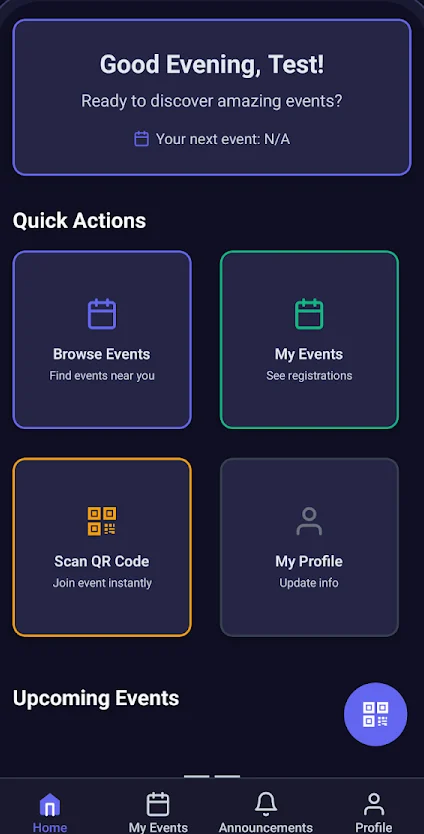
Navigate important event content through a streamlined mobile interface.
A clear home screen with quick actions puts browsing events, your events and your profile one tap away.
Feature 06
Bring conference information together in one seamless digital experience.
Program, speakers, announcements and event details live together in one app — not scattered across emails, PDFs and printed programs.
A closer look
Select a screen to see how MultiVerso keeps your conference within reach.
Screen from the official MultiVerso Google Play listing.
Screen from the official MultiVerso Google Play listing, showing FHCC 2026.
Illustrative preview — replace with an approved app screenshot in the CMS.
Illustrative preview — replace with an approved app screenshot in the CMS.
Illustrative preview — replace with an approved app screenshot in the CMS.
Ready when you are
Download MultiVerso and explore your conference in one connected app.